
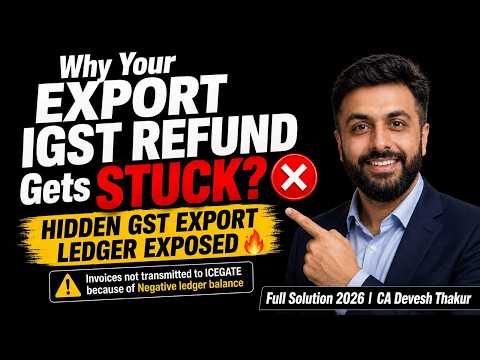
Exporters can complete the usual steps—file a shipping bill, report export invoices in GSTR-1, and file GSTR-3B—yet still see no IGST refund in their bank account. One possible reason is a negative balance in the GST Portal’s export ledger, which can prevent invoice details from being sent to ICEGATE for processing. This guide explains how the ledger works, what can cause a negative balance, and how to investigate and resolve it.
WhatsApp Channel for notes and updates on GST, Income Tax, TDS, TCS, Export and Accountancy: whatsapp.com/channel/0029Va6GOVE9MF92Ylmo7e0L
How an export refund moves through the system
The refund journey begins with the export invoice. For an export of goods, an exporter may generally export with payment of IGST and claim an eligible refund, or export without payment of IGST under a valid Letter of Undertaking (LUT) or bond, subject to the applicable requirements. The video focuses on the refund process for exports made with payment of IGST.
After preparing the export invoice and other documents, the exporter shares them with the customs broker or CHA, who files the shipping bill. The exporter then reports the export invoices in GSTR-1 and files GSTR-3B.
For the process described in the video, the export invoice details are reported in Table 6A of GSTR-1. The corresponding IGST liability is reported in Table 3.1(b) of GSTR-3B. The GST Portal checks the reported details and, where the required validation is successful, sends eligible invoice data to ICEGATE. ICEGATE processes the refund, and payment information is passed through PFMS for credit to the exporter’s bank account.
The GST Portal checks more than whether both returns have been filed. The amount of IGST paid in GSTR-3B must also support the amount of IGST reported on export invoices.
What the export ledger checks
The GST Portal maintains a running, cumulative export ledger for this validation. It compares IGST or cess paid under Table 3.1(b) of GSTR-3B with the amounts reported in relevant export invoice tables, including Tables 6A, 6B and 9A of GSTR-1.
If the cumulative amount paid is sufficient, eligible invoices can be transmitted to ICEGATE. If the ledger balance is negative, the GST Portal does not transmit eligible invoices to ICEGATE until the shortfall is addressed. That can leave the refund unprocessed even though the exporter has filed the returns and holds the shipping bill.
In simple terms, the ledger acts as a check between export tax reported and export tax paid. A negative balance signals that, according to the system’s cumulative calculation, the tax paid so far is lower than the tax reported on the relevant export invoices.
Why a refund may appear stuck
An email or portal status stating that an invoice was not transmitted to ICEGATE due to a negative ledger balance points to a payment and reporting difference that needs investigation. The invoice may not yet have reached the customs refund processing stage.
This is different from assuming that the refund claim has already been rejected. The issue described in the video is that invoice data has been held back from transmission because the system’s payment validation has not been met. The exporter should first identify the difference in the export ledger and reconcile it with the returns.
Common causes of a negative export ledger balance
The video highlights five common causes:
- Reporting export liability in the wrong GSTR-3B table. The export liability may have been included in Table 3.1(a) instead of the relevant Table 3.1(b).
- Reporting exports in GSTR-1 but not accounting for the liability in GSTR-3B. The GSTR-1 invoice details may be present while the corresponding tax payment is missing or lower in GSTR-3B.
- Amending an export invoice in GSTR-1 without updating the related liability. For example, an amendment increases the IGST amount in GSTR-1, but the additional liability is not reflected in GSTR-3B.
- Data-entry errors. An invoice value or tax amount may have been entered incorrectly—for example, entering ₹1 lakh where the invoice is ₹10 lakh, or the reverse.
- Confusion between ITC and cash payment. The way the liability was discharged may not have been correctly considered when reconciling the amount reflected in Table 3.1(b).
These are starting points for reconciliation. The ledger and the filed returns should be checked period by period to find the actual reason for the difference.
Why the reconciliation is cumulative
A key point in the video is that the export ledger works on a cumulative basis, rather than requiring each month’s GSTR-1 liability to match only that same month’s GSTR-3B payment.
For example, suppose an exporter reports ₹1 lakh of liability in GSTR-1 for April but pays only ₹80,000 in the relevant GSTR-3B table. The ledger may carry a negative balance of ₹20,000. If the exporter identifies the shortfall and pays an additional ₹20,000 in a later period, the cumulative balance can move back to zero.
The next month’s return can therefore affect the running balance. A difference from one period may be corrected later, but the exporter needs to understand which period created the shortfall and ensure the later payment is reported appropriately.
The video gives another illustration:
- In one month, ₹5 lakh of liability is reported, but only ₹4.9 lakh is paid. The ledger is short by ₹10,000.
- In the next month, liability is ₹3 lakh, but ₹3.2 lakh is paid. The additional ₹20,000 can move the cumulative balance to a ₹10,000 positive balance.
- If the following month’s liability and payment are both ₹2 lakh, the cumulative balance returns to zero.
Once the cumulative balance is no longer negative, eligible invoices can move forward for transmission, subject to the other required validations.
How to find and review the export ledger
The video demonstrates how to locate the export ledger on the GST Portal:
- Log in to the GST Portal.
- Open Services.
- Select Refunds.
- Go to Track Status and view the export ledger.
Review the balance and identify the tax period in which it first became negative. Compare the ledger with the corresponding GSTR-1 export invoice details and the IGST paid under Table 3.1(b) in GSTR-3B. Also review any amendments that increased the export value or IGST liability.
The portal’s email about non-transmission can help identify the reported shortfall, but the return and ledger reconciliation is what helps establish where the difference arose.
How to address a negative balance
The approach explained in the video is to identify the negative period, determine why the payment is short, and correct the cumulative position through the appropriate subsequent GSTR-3B reporting and payment.
In practical terms:
- Download or review the export ledger.
- Identify the month or months that created the negative balance.
- Reconcile the export liability reported in GSTR-1 with the amount reflected in Table 3.1(b) of GSTR-3B.
- Check for amendments, missing liability, incorrect table reporting, data-entry errors, or payment classification issues.
- Where a genuine shortfall exists, account for and pay the applicable additional IGST through the appropriate return process.
- After filing, check the portal’s invoice transmission status again.
The objective is to bring the cumulative export ledger to zero or a positive balance. The video explains that once this validation is met, eligible invoice details can be transmitted to ICEGATE for refund processing. Actual credit still depends on the applicable processing and other validations.
Do not pay an arbitrary higher amount just to change the ledger balance. First reconcile the figures and identify the actual liability and shortfall. If the return history or payment treatment is unclear, review the case with a qualified GST professional before making a correction.
Pre-filing checks for exporters
To reduce the risk of invoices being held back, the video recommends checking the following each month:
- File the shipping bill with the correct port code and GSTIN details.
- Report export invoice details in the appropriate GSTR-1 table, such as Table 6A for the export invoices covered in the video.
- Report the corresponding IGST liability in Table 3.1(b) of GSTR-3B.
- Reconcile the GSTR-1 liability with the amount paid in GSTR-3B.
- Check for pending GSTR-1 amendments that increased the IGST amount and ensure the corresponding liability is addressed.
- Review the export ledger before and after filing.
- After filing, verify whether the invoices have been transmitted to ICEGATE.
The key rule to remember
For the cumulative validation described in the video, IGST paid under Table 3.1(b) of GSTR-3B should be equal to or greater than the IGST reported on the relevant export invoices in GSTR-1. If the ledger is negative, eligible invoices may not be transmitted to ICEGATE, and the refund can remain unprocessed.
A negative export ledger balance is a signal to reconcile the reported liability and tax payment. Find the period and reason for the difference, correct the position through the appropriate return process, and then check the invoice transmission status again.
Frequently asked questions
Why are my export invoices not being transmitted to ICEGATE?
One reason may be a negative export ledger balance. The GST Portal compares IGST paid under Table 3.1(b) of GSTR-3B with the IGST reported on relevant export invoices. If the cumulative balance is negative, eligible invoice data may not be transmitted.
Which GSTR-1 table is used for export invoices?
The video discusses reporting export invoice details in Table 6A. The specific table depends on the type of transaction and applicable reporting requirements.
Where should export IGST liability be reported in GSTR-3B?
The video explains that the relevant export IGST payment is reported in Table 3.1(b). Reporting it in another table can affect the export ledger reconciliation.
Does the ledger reset every month?
No. As described in the video, the export ledger is cumulative. A shortfall from an earlier period can affect the balance in later periods.
Does a non-transmission status automatically mean the refund has been rejected?
Not necessarily. The issue discussed here is that invoice data may be held back from transmission while the negative ledger balance remains. Check the ledger, returns and portal status to understand the specific case.
What should I check after correcting the difference?
After filing the relevant return and addressing the shortfall, check the GST Portal’s invoice transmission status to see whether the eligible invoices have been sent to ICEGATE.